Communication for Parents & Families 2025-2026

Introducing the SRCDS App for Alerts & Rooms

Can't get connected after ensuring your contact information is updated, accurate, and matches for all students? Submit a request by emailing PIO@santarosa.k12.fl.us. Let us know the issue and your student(s) name(s) and school(s). Thank you!

Student Resources

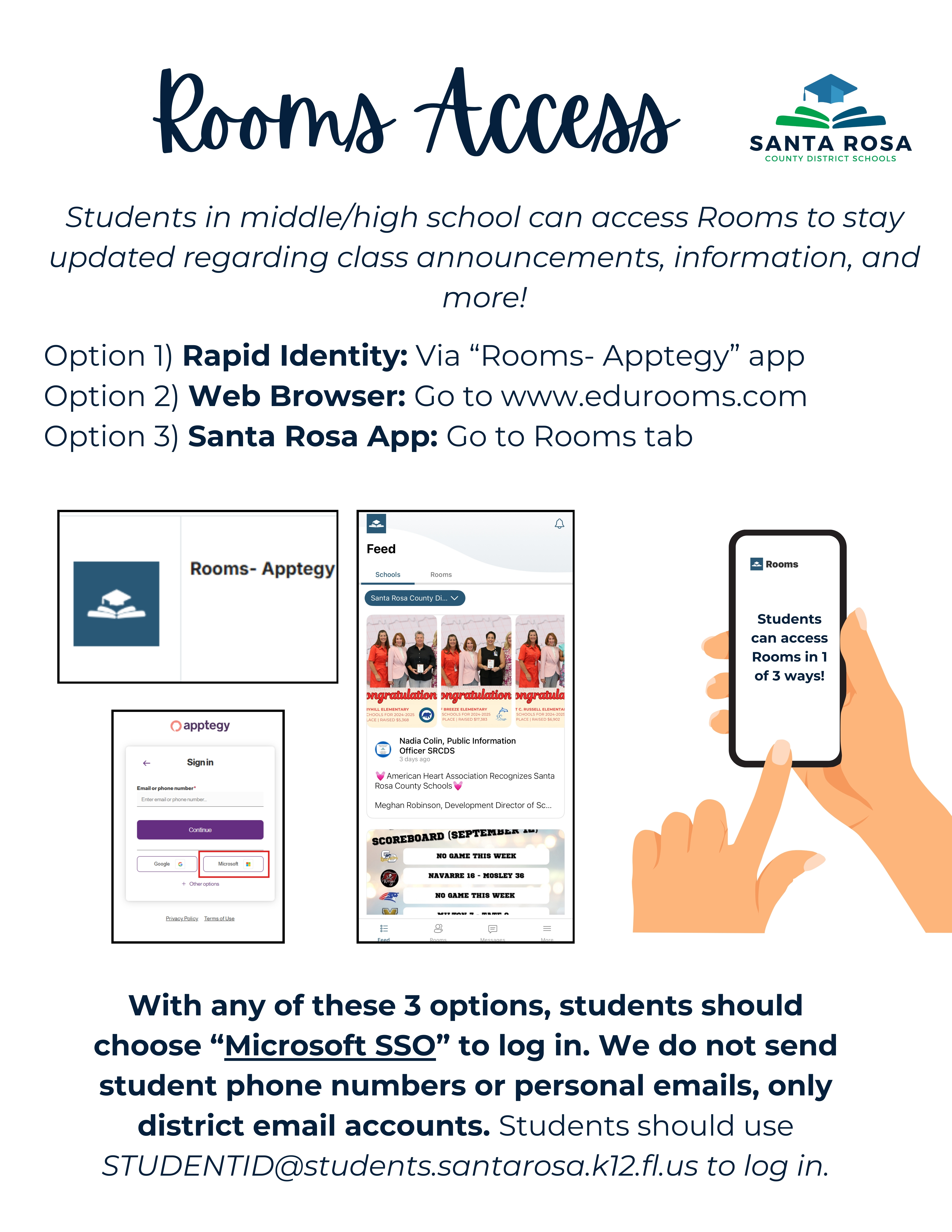
Student Access

Students can download the Santa Rosa County District, FL app (below), log in via a browser at www.thrillshare.com, and/or log into Rooms via Rapid Identity.
Parent/Guardian Access

Parents should download the Santa Rosa County District, FL app (below). Once you have the app, parents will log in via phone number or email address on file to access Rooms and the communication section of the app.
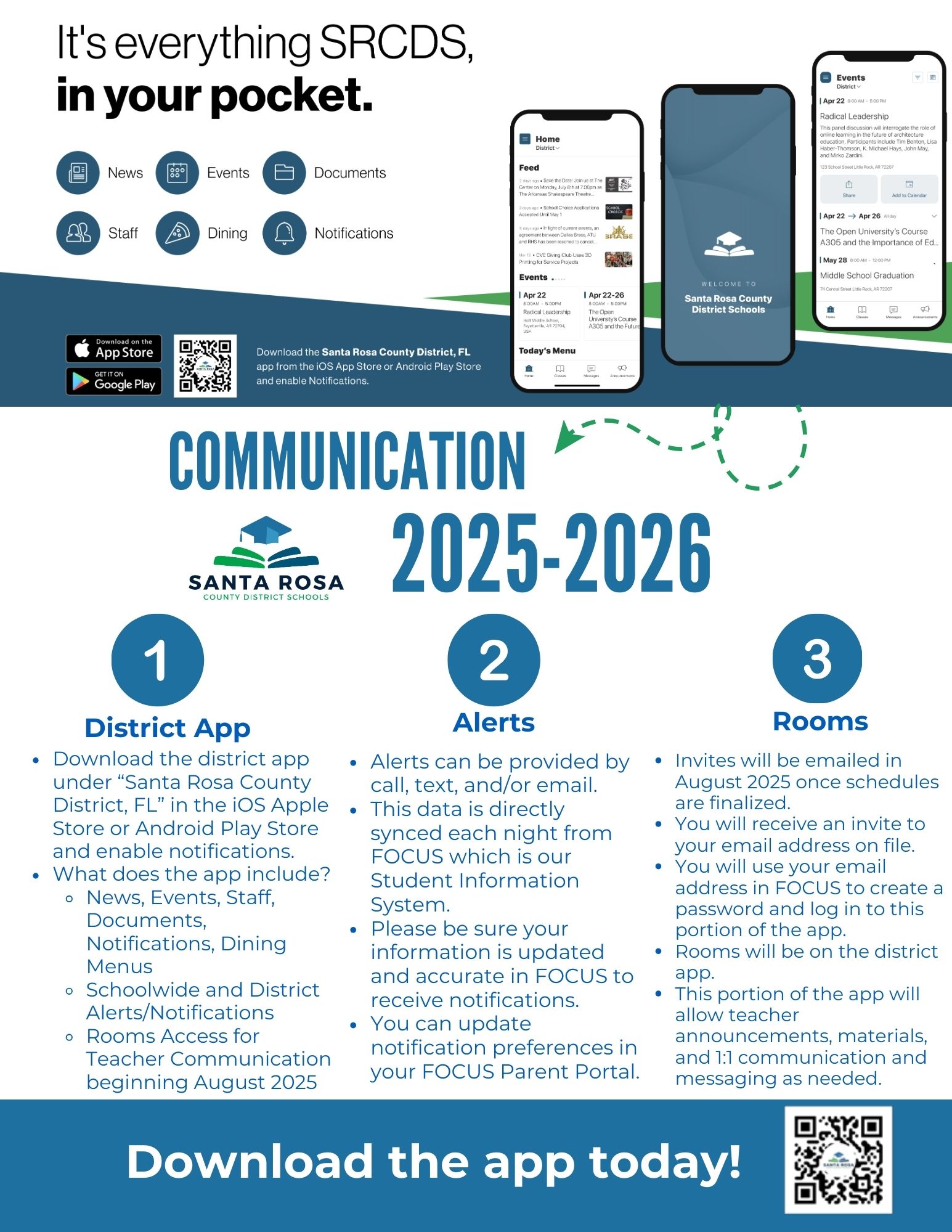
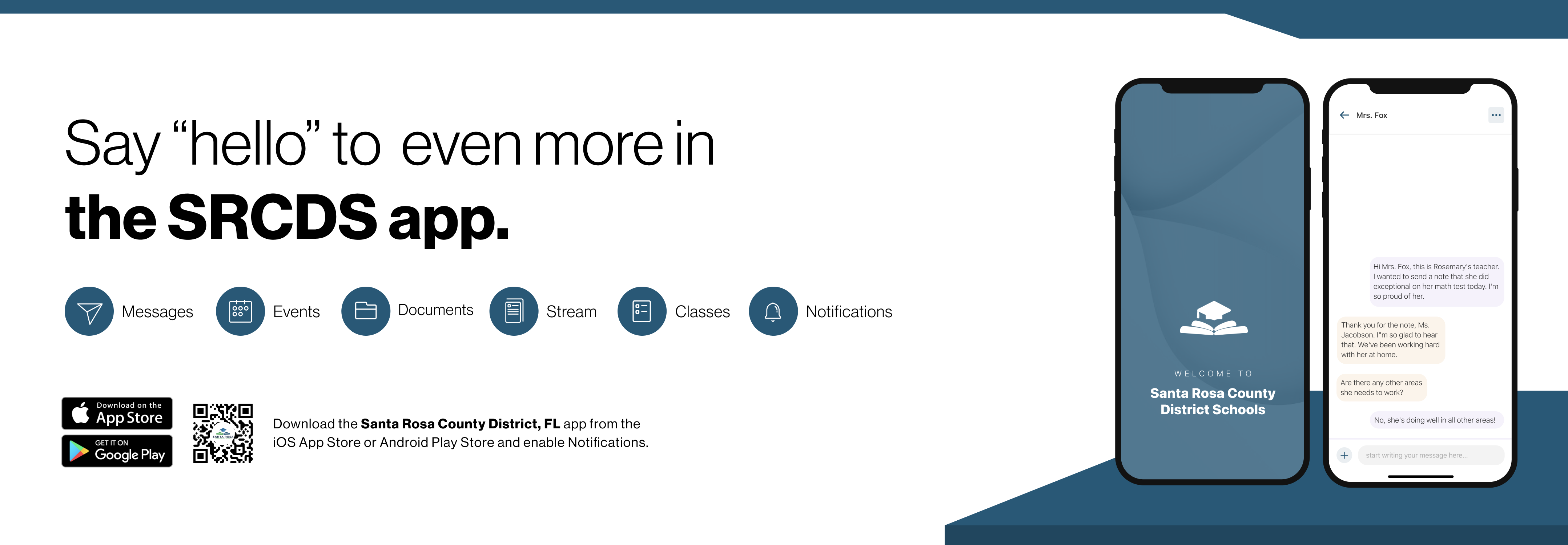
From work to home to school, our phones are a key tool to how we each navigate and communicate throughout the day. The custom-built Santa Rosa County District Schools app makes it easy to stay up to date with district news and events.

Now, Santa Rosa County District Schools is making it easier to stay in touch with district communication from that same app. Using the Santa Rosa County District Schools app, you can easily switch from district and school information to Rooms beginning June 1, 2025!

Rooms can be accessed via the web and from our district app, which is available for free and can be used from both Apple and Android phones. To access Rooms, parents will need to log in with the email address or phone number on file in the FOCUS Parent Portal. See below for email invite instructions. If you need additional support, email PIO@santarosa.k12.fl.us.

Visit Rooms Central To Learn More!

Say hello to Parent-Teacher chat in the new Rooms app. Download the Santa Rosa County District Schools app in the Google Play or Apple App store